Every clinic loses patients in the same three places: the appointment they forgot, the follow-up nobody sent, and the happy patient who was never asked for a review. Front desk teams know this, but they are busy with the people standing in front of them.
Email automation fixes all three without adding work for reception. This guide covers the emails every clinic should automate, when to send each one, what to write, how email fits with SMS and WhatsApp, the privacy rules to respect, and what it costs to set up.
Why email still matters for clinics
SMS and WhatsApp get read faster, and for a same-day reminder they usually win. Email does jobs they do badly:
- **Longer information**: preparation instructions, aftercare, forms and directions
- **Attachments and links**: intake forms, invoices, treatment plans
- **A record** patients can search later
- **Low cost** at volume, with no per-message fee from most providers
The best setups combine channels: email for detail, SMS or WhatsApp for the short nudge. We cover the WhatsApp side in WhatsApp integration for websites.
The three automations every clinic needs
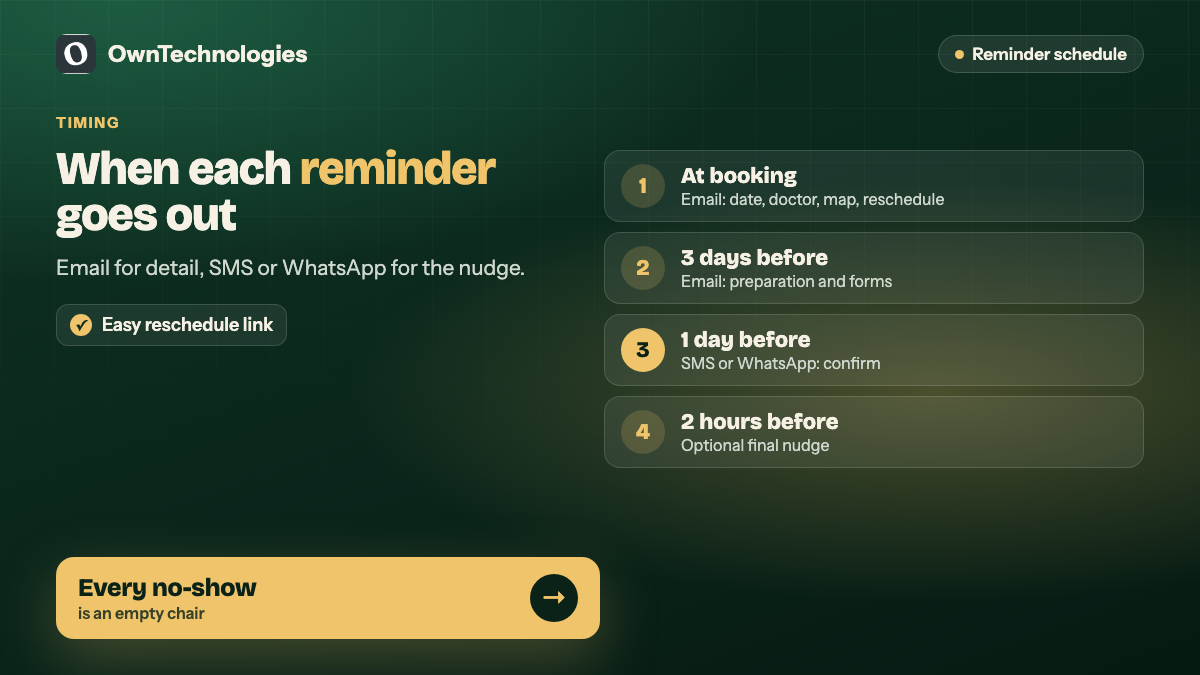
1. Appointment reminders
Reminders are the automation that pays for itself fastest, because every no-show is an empty chair you cannot resell.
| When | Channel | What it says |
|---|---|---|
| Immediately after booking | Confirmation, date, time, doctor, address, map link, how to reschedule | |
| 3 days before (for longer treatments) | Preparation instructions, forms to complete, what to bring | |
| 1 day before | SMS or WhatsApp | Short reminder with a confirm or reschedule link |
| 2 hours before | SMS or WhatsApp (optional) | Final nudge for high no-show treatments |
Make rescheduling easy. A patient who can move an appointment in one tap is far less likely to simply not turn up.
2. Follow-ups after the visit
Follow-ups show care and bring patients back for the next step.
- **Same day:** thank-you email with aftercare instructions specific to the treatment and a number to call if something feels wrong.
- **A few days later:** a short check-in asking how they are feeling.
- **At the right interval:** a recall reminder when the next check-up, cleaning or review is due, for example six months for a dental check-up.
- **Unfinished treatment plans:** a gentle reminder for patients who were quoted a treatment but have not booked it.
3. Review requests
Happy patients rarely leave reviews unless someone asks. Ask at the right moment and make it one click.
- Send the request a day or two after a successful visit, not weeks later.
- Link straight to your Google review page, not your homepage.
- Keep it to two or three sentences.
- Only send to patients who have completed a visit, and never offer rewards for reviews.
Reviews feed your local visibility. See our guide to the Google Business Profile for clinics for how they affect the map listing.
Example emails you can adapt
**Booking confirmation subject:** “Your appointment on Tuesday, 10:00 with Dr. Sharma”
Keep the date, time, doctor and address in the first two lines. Add a map link, what to bring, and a reschedule link.
**Aftercare subject:** “Aftercare for your treatment today”
Three to five clear instructions, what is normal, what is not, and the phone number to call.
**Review request subject:** “How was your visit today?”
“Thank you for visiting us. If you were happy with your care, a short Google review helps other patients find us. [Leave a review]. If anything was not right, reply to this email and we will make it right.”
Plain, short and from a named person usually beats a designed newsletter template for these messages.
Privacy and consent
Clinic emails touch health information, so a few rules are not optional:
- **Keep clinical detail out of email** unless your system is set up for it. “Your appointment on Tuesday” is fine. A diagnosis in the subject line is not.
- **Separate service emails from marketing.** Reminders and aftercare are part of care. Newsletters and promotions need consent and an unsubscribe link.
- **Know your local rules.** In India the DPDP Act applies, and in the US, HIPAA rules apply to protected health information handled for a provider. Our HIPAA and DPDP compliance guide explains both.
- **Use a provider that signs the right agreements** where your regulations require them.
Make sure the emails actually arrive
Automated emails that land in spam help nobody. Before you switch anything on:
- Send from your own domain, not a free email address.
- Set up SPF, DKIM and DMARC records for that domain. Google’s email sender guidelines explain what major inbox providers now expect.
- Keep reminder and marketing emails on separate sending streams if you send both.
- Test with real Gmail, Outlook and Yahoo inboxes before launch.
Where the automation lives
There are three common setups, and the right one depends on the systems you already use.
| Setup | How it works | Best for |
|---|---|---|
| Built into your booking or practice software | Turn on and customise the reminders it already has | Clinics whose software supports it well |
| Email platform connected to bookings | Booking data triggers emails in a dedicated email tool | Clinics wanting better design, review flows and reports |
| Custom CRM or patient portal | Your own system sends email, SMS and WhatsApp from one place | Multi-location clinics and groups with custom workflows |
Check what your current booking software can already do before building anything. Many clinics pay for features they never switched on. For the wider build-or-buy decision, see booking and appointment software for service businesses.
What it costs
These are planning ranges for an experienced offshore or hybrid team.
| Option | What you get | Setup cost | Running cost |
|---|---|---|---|
| Configure existing software | Templates, timing, sender domain setup | $300 to $800 | Usually included in your software |
| Email platform with booking integration | Reminders, follow-ups, review flow, reports | $800 to $2,500 (around 67,000 to 2.1 lakh INR) | Platform fee, often $20 to $150 a month |
| Custom CRM automation | Email, SMS and WhatsApp journeys from one system | $3,000 to $10,000 (around 2.5 to 8.4 lakh INR) | Hosting plus per-message fees for SMS and WhatsApp |
How to measure the results
- **No-show rate** before and after reminders. This is the headline number.
- **Recall bookings** from check-up reminders each month.
- **Reviews per month** and your average rating.
- **Treatment plan conversion** from follow-up reminders.
- **Email deliverability**: bounces, spam complaints and open rates on service emails.
Check the numbers monthly for the first quarter, then adjust timing and wording one change at a time.
Common mistakes
- **Too many emails.** Three or four well-timed messages per visit is plenty. More feels like spam.
- **No reply path.** Patients answer reminder emails with questions. Make sure someone reads the inbox.
- **One template for every treatment.** Aftercare for a filling and for an implant are different. Write them separately.
- **Asking unhappy patients for reviews.** Check visit outcomes first, and invite feedback privately.
Frequently Asked Questions
Booking confirmations, appointment reminders, aftercare and follow-up emails, recall reminders for the next visit, and review requests after successful appointments.
A confirmation immediately after booking, preparation instructions a few days before longer treatments, and a short SMS or WhatsApp reminder one day before. A final reminder two hours before helps for treatments with high no-show rates.
Use both. Email is better for detailed instructions and forms, while SMS or WhatsApp gets read faster for short reminders on the day before.
Yes. Send a short message a day or two after a completed visit with a direct link to your Google review page, and never offer rewards in exchange for reviews.
Keep clinical details out of routine emails unless your system and agreements are set up for it. Appointment times and general aftercare are usually fine, while diagnoses and test results need more care.
In 2026 configuring existing software costs about $300 to $800, an email platform with booking integration $800 to $2,500, and custom CRM automation $3,000 to $10,000, with an experienced offshore or hybrid team.
Final Thoughts
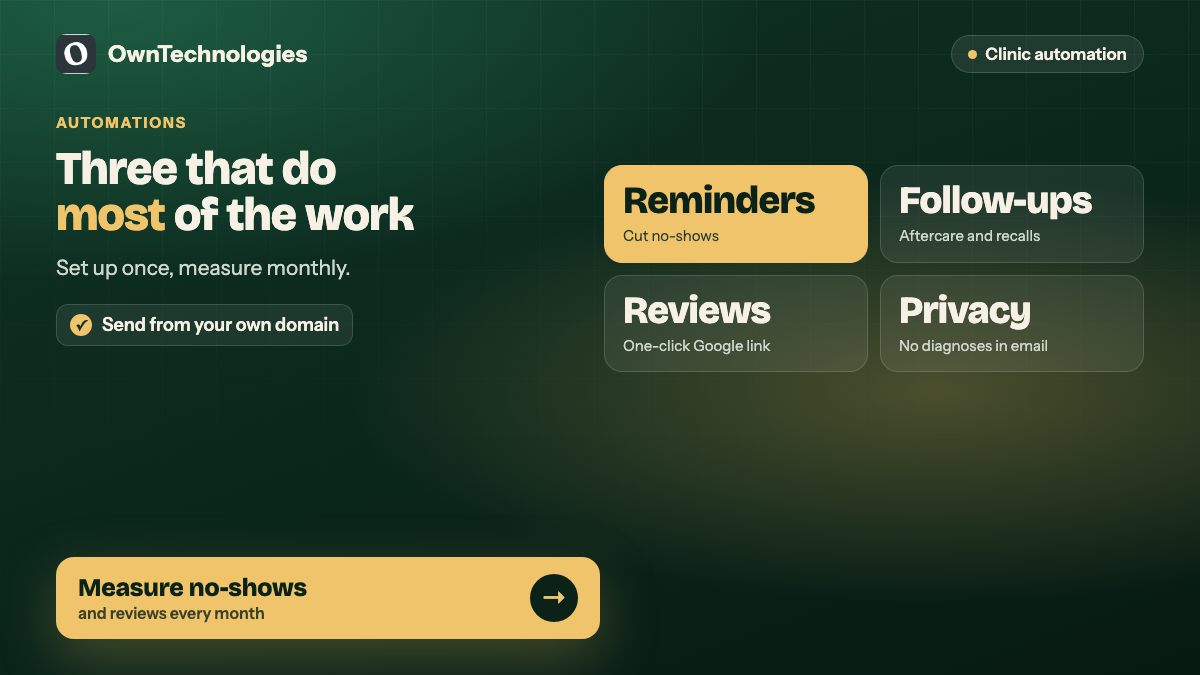
Three automations do most of the work for a clinic: reminders that cut no-shows, follow-ups that bring patients back, and review requests that grow your reputation. Set them up once, send them from your own domain, keep clinical detail out of routine emails, and measure no-shows and reviews every month.
Want reminders, follow-ups and reviews running automatically? Our CRM team connects bookings to email, SMS and WhatsApp journeys, our email marketing team writes and tests the messages, and our website team makes booking easy in the first place. Book a free consultation and we will map the automations your clinic needs.