Every founder hears the same advice when a mobile app quote comes in too high: “cut some features.” That advice is usually wrong. Cutting the wrong feature can kill user adoption just as fast as running out of budget.
There is a better way. Development teams that build apps every week know which parts of a project are expensive because they are genuinely hard, and which parts are expensive because of how the project was scoped, staffed, or managed. This guide walks through seven practical levers that cut cost without touching the features your users actually need.
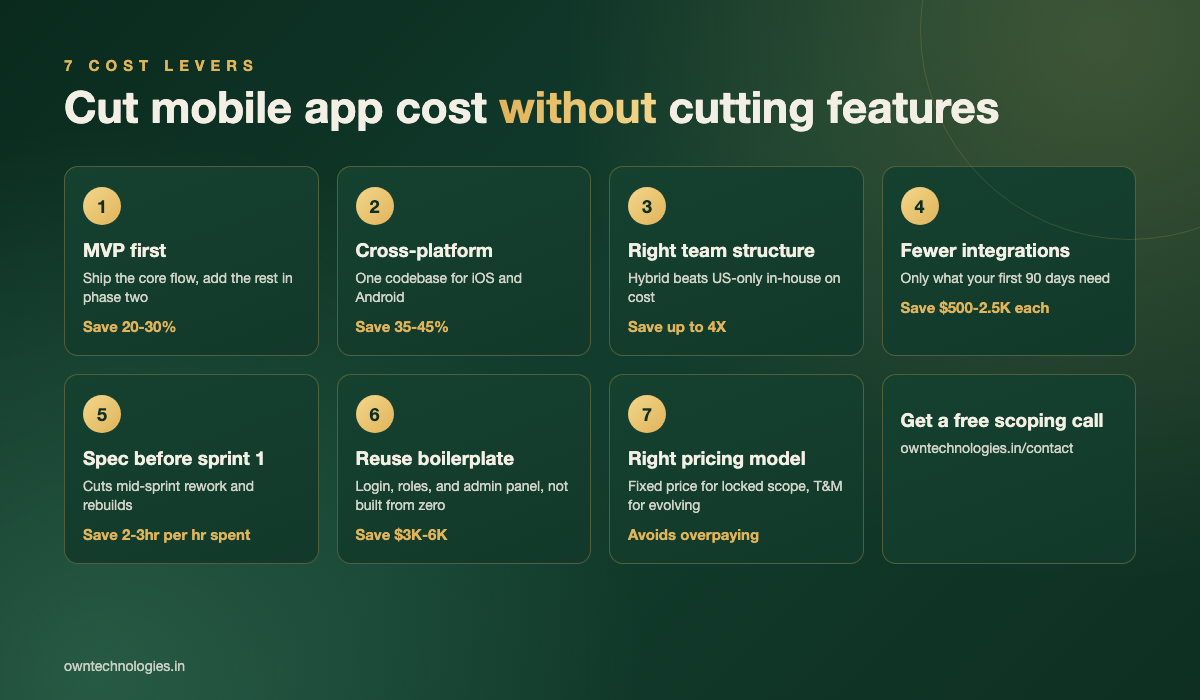
Reducing Mobile App Development Cost in 2026: The Short Answer
A mid-scope app with a backend, user accounts, and 15 to 20 screens typically costs $25,000 to $60,000 (roughly 21 lakh to 50 lakh INR) built by an experienced offshore or hybrid team, in line with the ranges Statista reports for mid-complexity apps. Applying the levers below usually brings that same feature set down by 25 to 40 percent, without removing a single screen users rely on.
| Approach | Typical cost for a mid-scope app | Where the savings come from |
|---|---|---|
| Unscoped, built as requested | $55,000 to $80,000 | None, this is the baseline |
| MVP-first, phased roadmap | $30,000 to $45,000 | Defers 30 to 40% of features to phase 2 |
| Cross-platform instead of two native apps | $25,000 to $40,000 | One codebase instead of two |
| All seven levers applied together | $22,000 to $35,000 | Compounding savings across scope, team, and process |
Why Most Cost-Cutting Advice Backfires
When a budget gets tight, the instinct is to remove a feature from the list. But a feature list is rarely where the real cost lives. The real cost lives in unclear specs, wasted integrations, the wrong team structure for the job, and rework caused by changing direction mid-sprint. Cut those first and the feature list can usually stay intact.
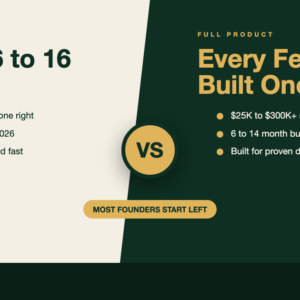
If you are still deciding how much of the product to build before you launch at all, our MVP vs full product guide is a useful starting point before you apply the levers below.
Seven Ways to Cut Mobile App Cost Without Cutting Features
These are the same levers a good app development team pulls before ever touching your feature list.
1. Scope to an MVP first, not the finished vision
Every feature you plan to ship eventually still ships, just not all in sprint one. Building the core flow first and layering in nice-to-haves after real users respond saves 20 to 30 percent on the initial build and, more importantly, stops you paying to build features nobody uses.
2. Build cross-platform instead of two native apps
Flutter and React Native now cover the vast majority of business app use cases with near-native performance. Building one codebase for iOS and Android instead of two separate native apps typically saves 35 to 45 percent of development time, and every future feature only gets built once.
3. Match the team structure to the project, not the other way around
A US-only in-house team is the most expensive way to build the same app. A hybrid team, with product direction close to you and development handled by an experienced offshore or nearshore team, usually delivers the identical scope for a fraction of the cost. The team structure comparison further down this guide breaks down the numbers.
4. Limit integrations to what you will use every week
Every third-party integration, payment gateways, social logins, analytics SDKs, maps, adds $500 to $2,500 depending on how well documented the API is. Listing every integration you plan to use “eventually” and cutting it down to what your first 90 days actually needs is one of the fastest ways to shrink a quote.
5. Write the spec before the first sprint starts
Undocumented requirements are the single biggest source of rework, and rework is billed at full rate. An hour spent writing down user flows, screen states, and edge cases before development starts routinely saves two to three hours of mid-sprint clarification and rebuilds.
- Every screen a user can reach, and what happens on each button
- What counts as an error state, and what the user sees when it happens
- Which fields are required versus optional
- Who can see or edit what, if the app has more than one user role
6. Reuse a proven admin panel and boilerplate
Login, user roles, push notification setup, and a basic admin dashboard are nearly identical across most apps. A development team that reuses a tested boilerplate for these parts, instead of coding them from zero every time, can shave $3,000 to $6,000 off a mid-scope build with no visible difference to your users.
7. Pick the right pricing model for your scope
Fixed price works well once requirements are locked, since it removes the risk of scope creep inflating the bill. Time and materials suits a product that will keep evolving. Picking the wrong one for your situation either overpays for certainty you do not need or underpays for flexibility that quietly costs more later.
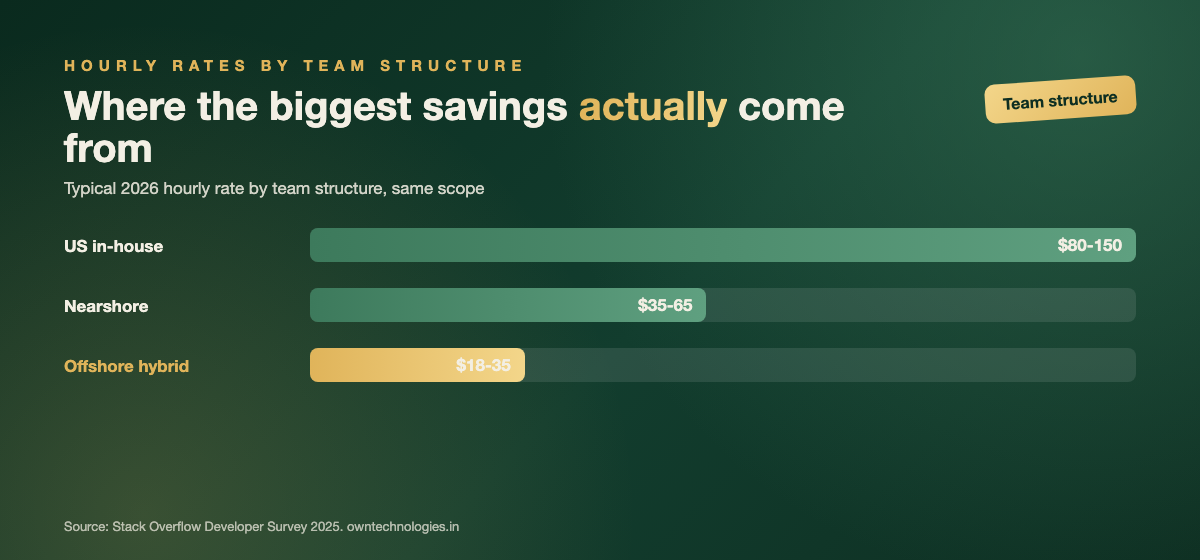
Offshore, Nearshore, or In-house: Which Team Structure Actually Saves Money
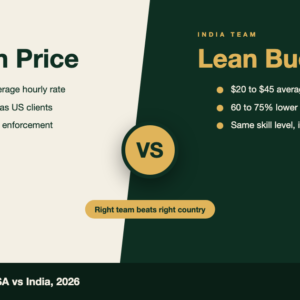
Team structure is usually the single biggest lever on this list, which is why it deserves its own numbers. According to the Stack Overflow Developer Survey, US developer salaries run several multiples higher than equivalent experienced developers in India or Eastern Europe, and that gap shows up directly in your quote.
| Team structure | Typical hourly rate (USD) | Best for |
|---|---|---|
| US or Western Europe in-house | $80 to $150 | Highly regulated products needing on-site presence |
| Nearshore (LatAm for US, Eastern Europe for EU) | $35 to $65 | Teams that need overlapping working hours |
| Offshore hybrid (India, with local coordination) | $18 to $35 | Most mid-scope apps with a clear spec |
The catch is that the cheapest hourly rate is not automatically the cheapest project. A vague spec handed to an inexperienced offshore team can cost more in rework than it saved in rate. Our full breakdown in the offshore vs nearshore vs in-house comparison covers the risk side of this decision, not just the rate card.
What NOT to Cut, Even Under Budget Pressure
Some line items look like easy savings and turn into expensive mistakes six months later.
- Automated testing on core flows: Skipping QA on checkout, login, or payment flows saves a few hundred dollars now and costs thousands in lost trust after a bad release.
- Basic security practices: Encrypted storage, secure API calls, and dependency updates are not optional line items, they are the reason your app is still live in a year.
- Post-launch support budget: An app with zero support budget after launch degrades fast as the OS updates underneath it. Budget 15 to 20 percent of build cost per year.
- Source code ownership: Never trade this away for a lower quote. Confirm in writing that the code and repository transfer to you at final payment.
The Hidden Cost of Rushing: Technical Debt and Rework
The fastest way to blow a budget is to rush the first version so hard that every feature after it has to work around shortcuts taken early. A rushed authentication system, a database schema that ignores obvious future needs, or skipped code review can each turn a $5,000 feature into a $15,000 feature a year later once it has to be rebuilt around production data and live users.
The levers in this guide are not about working faster and looser. They are about removing waste, unclear specs, duplicate codebases, mismatched team structure, so the time your developers spend goes into features, not fixes.
What a Cost-Optimized Build Looks Like at OwnTechnologies
A typical cost-optimized engagement starts with a scoping call where we map your must-have flows against your nice-to-haves, then propose an MVP that covers everything users need on day one. Development runs in two-week sprints on a shared codebase for iOS and Android, with a working build you can test after every sprint rather than one big reveal at the end. You can see the range of builds this approach produces in our portfolio.
If your app needs a backend admin panel alongside it, for support staff, inventory, or content management, we scope that from the same codebase and database rather than as a separate project, which is another line item most quotes charge for twice.
Frequently Asked Questions
Scope to an MVP, build cross-platform with Flutter or React Native instead of two native apps, and use a hybrid team with product direction close to you and development handled offshore. Together these typically cut cost by 25 to 40 percent.
Yes. Building one codebase for iOS and Android with Flutter or React Native typically saves 35 to 45 percent of development time compared to building two separate native apps, since every feature is written once instead of twice.
It is, provided the team has a clear written spec and proven experience. Offshore hybrid teams typically bill $18 to $35 per hour versus $80 to $150 for US in-house, and a documented spec removes most of the rework risk that erases those savings.
Automated testing on core flows like login and payment, basic security practices, a post-launch support budget, and source code ownership. Cutting any of these creates larger costs within the first year.
A mid-scope app with a backend, user accounts, and 15 to 20 screens typically costs $25,000 to $60,000 (roughly 21 lakh to 50 lakh INR) with an experienced offshore or hybrid team, before applying cost-cutting levers.
Final Thoughts
Cutting cost and cutting features are not the same decision, even though they get treated that way under deadline pressure. The seven levers above target waste in scope, structure, and process, the places where money actually leaks, so the features your users came for stay in the build. Pair that with hiring a team at the right rate for your scope, covered in our guide to the cost of hiring dedicated developers in India, and most mid-scope apps land comfortably inside budget without a single feature sacrificed.
Want a real number instead of a range? Talk to OwnTechnologies for a free scoping call. Send us your feature list and we will tell you which levers apply to your build, with a phased estimate back within 48 hours.