You have spent months building the app. Now one rejected submission or one missing screenshot can push your launch back by a week or more. Most delays are not caused by bad apps, they are caused by a missed step in the submission process.
This checklist walks through the 25 things to check before you submit to the Apple App Store or Google Play in 2026, grouped into five categories so you can work through them in order and launch without a rejection notice sitting in your inbox.
App Store Launch Checklist: The Short Answer
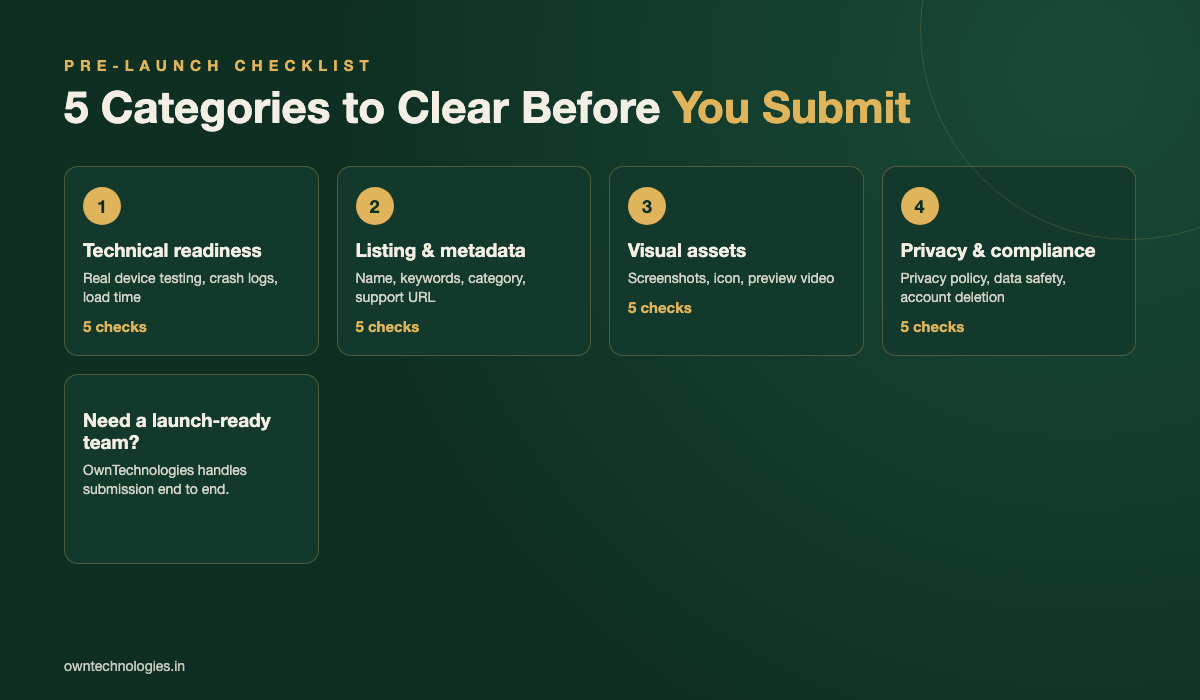
A safe pre-launch checklist covers five areas: technical readiness, store listing and metadata, visual assets, privacy and compliance, and post-submission planning. Skipping any one of these is the most common reason first-time apps get rejected or delayed.
| Category | Items to check | Typical time needed |
|---|---|---|
| Technical readiness | 5 | 1 to 2 weeks before submission |
| Store listing and metadata | 5 | 3 to 5 days before submission |
| Visual assets | 5 | 1 week before submission |
| Privacy and compliance | 5 | 2 weeks before submission |
| Post-submission and launch day | 5 | during and after review |
1. Technical Readiness Checklist (5 Items)
Technical rejections are the easiest to avoid and the most common in first submissions.
- Test on real devices, not just simulators. Cover at least one low-end and one recent Android device, plus one older iPhone.
- Remove all debug code and test accounts. Reviewers regularly find leftover “test123” logins and reject the build for it.
- Check crash logs from your beta group. A crash rate above 1 to 2 percent on core screens is a red flag for both stores.
- Confirm push notifications, deep links, and payments work in production mode, not just against a sandbox environment.
- Verify app size and load time. Apps over 150 MB or with a cold start over 3 seconds see higher uninstall rates in the first day.
2. App Store Listing and Metadata Checklist (5 Items)
Metadata is what your app is judged on before anyone opens it, and it is also what both stores check first during review.
- App name and subtitle include your main keyword without stuffing. Apple gives 30 characters for the name, Google gives 30 for the title.
- Description leads with the core benefit in the first two lines, since that is all users see before tapping “more”.
- Keywords field (Apple) and short description (Google) are filled with real search terms, not brand names you do not own.
- Category and content rating are accurate. Miscategorizing an app to rank in a more popular category is a common rejection reason.
- Support URL, marketing URL, and contact email are live and monitored before submission, not placeholder pages.
3. Screenshots, Preview Video, and Visual Assets (5 Items)
Visual assets drive the install decision more than the written description does, and both stores now enforce strict size rules.
- At least 3 screenshots per required device size, showing the actual app, not concept art.
- First screenshot leads with your strongest feature, since most users never scroll past it.
- App icon is tested at small sizes. An icon that looks fine at 512px can turn into a blur at the 60px home screen size.
- Preview video under 30 seconds for the App Store, showing real in-app footage with no third-party logos.
- Screenshots and video are updated for the current OS design, since both stores flag outdated UI chrome during review.
4. Privacy, Compliance, and Legal Checklist (5 Items)
This is the category responsible for the most rejections in 2026, largely because both platforms have tightened privacy label requirements over the last two years.
- Privacy policy URL is live and matches what the app actually collects, not a generic template.
- Apple’s App Privacy questionnaire and Google’s Data Safety form are filled out accurately, including third-party SDKs like analytics and ad networks.
- Account deletion is available in-app if you allow account creation. Apple requires this, no exceptions.
- Sign in with Apple is offered if you offer any other third-party login, per Apple’s App Store Review Guidelines.
- Age rating and content declarations match the actual content, including user-generated content moderation if applicable. Google’s requirements are detailed in its Google Play Developer Policy Center.
Apple App Store vs Google Play: What Is Different
The two stores review apps differently, and knowing the gap saves you from planning one launch date for both.
| Factor | Apple App Store | Google Play |
|---|---|---|
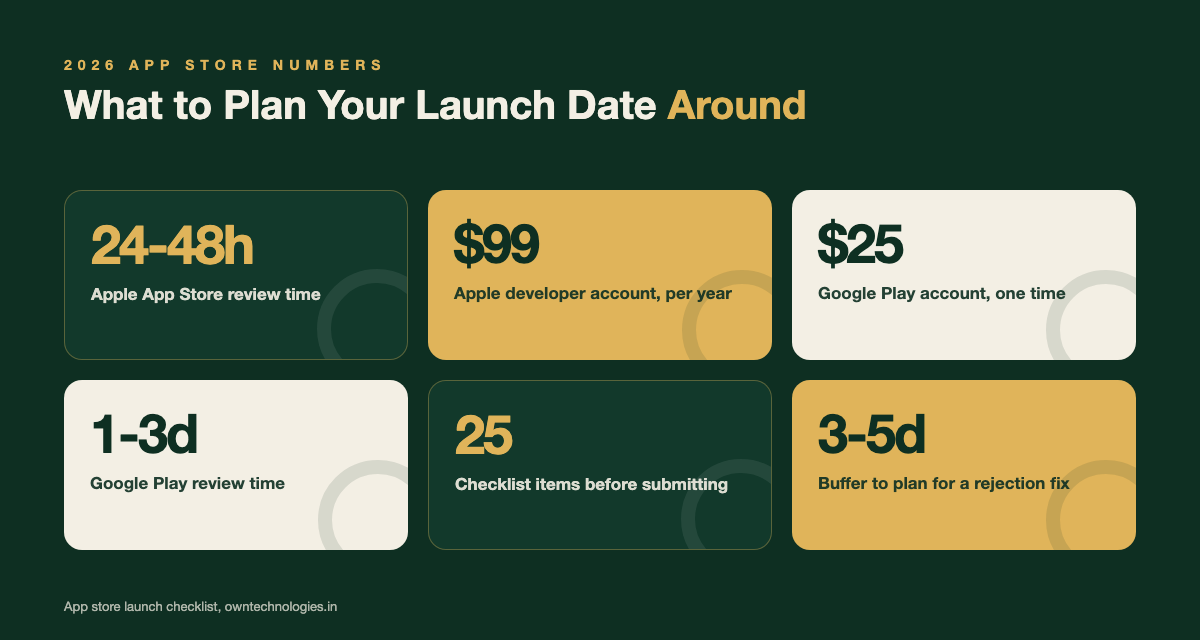
| Typical review time | 24 to 48 hours | A few hours to 3 days |
| Human review | Yes, every submission | Mostly automated, human review on flags |
| Developer account fee | $99 per year | $25 one time |
| Account deletion requirement | Mandatory if accounts exist | Mandatory, with a web option too |
| Update review | Every update reviewed | Usually faster, staged rollouts common |
If you are still deciding which platform to prioritize first, our guide on mobile app development cost covers how platform choice affects your budget and timeline.
Common Rejection Reasons and How to Avoid Them
Most rejections fall into a short list of repeat offenders. Fixing these before submission cuts your risk sharply.
- Broken or incomplete features: a login button that does nothing, a payment flow that fails in review.
- Placeholder content: lorem ipsum text, sample images, or “coming soon” screens still live.
- Misleading metadata: screenshots or descriptions that promise features the app does not have.
- Insufficient app functionality: apps that are little more than a website wrapper get rejected under Apple’s minimum functionality rule.
- Missing demo account for reviewers: if your app requires login, always include working test credentials in the review notes.
Post-Submission: What Happens After You Hit Submit (5 Items)
- Monitor your developer email closely for the 24 to 72 hours after submission, since both stores contact you there first.
- Have a response plan for rejection notes. Most rejections are fixable within a day if you respond directly in the resolution center instead of resubmitting blind.
- Do not submit unrelated updates while under review. This can restart the review clock on both platforms.
- Set a realistic release date with a buffer. Never promise a launch date to stakeholders that assumes zero rejections.
- Prepare your analytics and crash reporting dashboards so you can see real user behavior from the first hour of launch.
Launch Day Checklist (5 Items)
- Server and backend capacity tested for expected launch traffic, not just average day traffic.
- Customer support ready for the spike in questions that always follows a launch announcement.
- App store optimization keywords locked in before ranking data starts accumulating, since early changes reset momentum.
- Review prompt timing set to appear after a positive action, not on first open.
- Post-launch update plan scheduled for the first 2 weeks to fix anything found in real usage.
Getting all 25 items right on a first submission is rare without a written requirements document to work from. Our free app requirements document template covers the planning steps that prevent most of these gaps before development even starts. Teams that scope their launch in phases, the way we describe in our MVP vs full product guide, also tend to hit fewer surprises at review time.
App Readiness Checklist for Startups (One-Page Version)
If you are a founder and not the developer, you do not need to check every technical detail yourself. You need clear yes or no answers to these ten questions before you approve a launch date:
- Has the app been tested on at least one older Android phone and one older iPhone, not only the team’s new devices?
- Do sign-up, login, password reset and payment work end to end with real accounts?
- Is crash reporting (for example Firebase Crashlytics) switched on, with no open crash in the last test build?
- Are the Apple Developer and Google Play Console accounts in the company’s name, not the developer’s?
- Is the privacy policy live, and does it match what the app and its SDKs actually collect?
- Are store screenshots, description and keywords ready for both stores?
- Has a demo login been prepared for Apple and Google reviewers?
- For a new personal Google Play account: has the closed test with the required number of testers been completed?
- Is there a support email or page that a customer can actually reach?
- Who fixes urgent bugs in the first two weeks after launch, and how fast?
Two or more “no” answers means the launch date should move. A week of delay costs far less than a one-star launch. If you are still choosing a team, our guide to choosing a mobile app development company in India lists the questions to ask before you sign.
App Release Checklist for Every Update
The launch is only the first release. Every later update can break something that worked before, so keep a shorter release checklist and run it every time:
- Bump the version and build number on both platforms
- Run a full regression test on the main flows: sign-up, login, core feature, payment
- Check the app still meets the current target API level for Google Play and the current Xcode and SDK requirement for Apple
- Update the privacy declarations if you added a new SDK or started collecting new data
- Write short, human release notes (“Faster checkout, fixed login on older Android phones”)
- Use a staged rollout on Google Play (for example 10 percent, then 50, then 100) and phased release on the App Store
- Watch crash-free users and new reviews for 48 hours before going to 100 percent
Teams that follow this list rarely ship an update that has to be pulled back. It also keeps the store ranking stable, because both stores weigh crash rate and recent ratings.
Frequently Asked Questions
Apple typically reviews within 24 to 48 hours. Google Play review is mostly automated and often completes within a few hours, though it can take up to 3 days if your app is flagged for manual review.
Incomplete or broken features, missing demo credentials for reviewers, and inaccurate privacy declarations are the most common rejection reasons on both the App Store and Google Play.
Yes. Both Apple and Google require a live privacy policy URL that accurately describes what data your app collects, including data collected by third-party SDKs like analytics or ad networks.
Yes, but plan for different review timelines. Submit to Apple first since it usually takes longer, or submit both together with a launch date buffer of at least 3 to 5 days.
You receive specific rejection notes. Most issues can be fixed and resubmitted within a day using the resolution center, without needing to restart the entire review process.
Apple charges a $99 per year developer account fee. Google Play charges a one-time $25 registration fee. Neither fee covers development cost, which is separate.
What is the difference between an app launch checklist and an app release checklist?
A launch checklist covers the first submission: accounts, listing, privacy, screenshots and launch-day tasks. A release checklist is the shorter list you run before every update: versioning, regression testing, privacy updates and a staged rollout.
How many testers does Google Play require before a new app can go live?
New personal developer accounts must run a closed test with a minimum number of testers for a set period before applying for production access. Check the current numbers in the Play Console help centre before you plan your launch date, because Google has changed them before. Organisation accounts are not subject to this rule.
Final Thoughts
A smooth app store launch is rarely about luck. It comes down to working through the same 25 checks every time, in the same order, so nothing gets skipped under launch-week pressure. Treat this checklist as a gate your app has to pass before anyone submits, not a nice-to-have.
Building the app and want a team that handles submission and store optimization as part of the project, not as an afterthought? Talk to OwnTechnologies’ app development team, see examples of past launches in our portfolio, or get in touch for a free consultation on your launch timeline.