Most website maintenance plans are sold as a monthly line item with no list of what happens for the money. The site owner pays, nothing visibly changes, and after six months they cancel. Then something breaks and nobody is watching.
This guide sets out what belongs in a real maintenance plan, what each tier should cost, and the clauses worth reading twice before you sign.
What Maintenance Is Actually Protecting
A website is not a finished object. The software under it moves whether you touch it or not.
Your CMS ships security releases. Plugins update and occasionally conflict. Your SSL certificate expires. PHP versions reach end of life and your host forces an upgrade. Browsers change how they render things. Google changes what it rewards.
A maintenance plan is the arrangement that keeps all of that from becoming your problem on a Saturday.
The Non-Negotiables
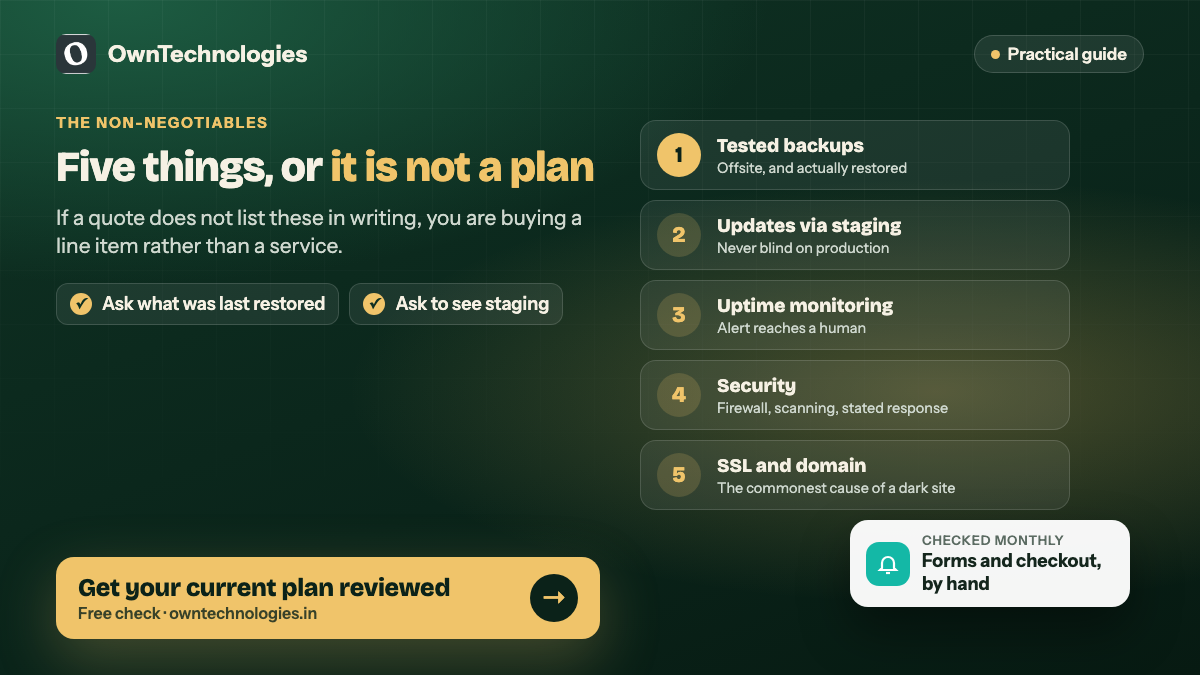
If a plan does not include these five, it is not a maintenance plan.
Backups you have tested. Daily for an ecommerce site, weekly for a brochure site, stored somewhere other than the server itself. The important word is tested. A backup nobody has ever restored is a hope, not a backup.
Core, theme and plugin updates. Applied on a staging copy first, then to production. Applied blind to a live site is how a plugin conflict takes the checkout down at 9 PM.
Uptime monitoring. Checks every few minutes from outside your network, with an alert that reaches a human. You should never learn your site is down from a customer.
Security. A firewall, malware scanning, login hardening, and a stated response if the site is compromised. Ask what happens in that case, because cleanup is where plans quietly differ.
SSL and domain renewal tracking. Boring, and the single most common cause of a site going dark for a day.
What Separates a Good Plan From a Cheap One
The non-negotiables keep the site alive. These are what make the money worth spending.
Included content and change hours
A stated number of hours per month for edits: new pages, price changes, a team member added, a banner swapped. Most owners need two to four hours. Without this you pay twice, once for the plan and again every time you want a word changed.
Performance monitoring, not just uptime
Up is not the same as fast. A good plan tracks page speed over time and flags regressions, because sites get slower gradually and nobody notices. Google’s Core Web Vitals are the numbers to watch, and we wrote a list of quick speed fixes that covers the usual culprits.
A staging environment
A copy of the site where updates and changes are tested before they reach customers. If your provider does not have one, every update is a live experiment.
Form and checkout testing
Someone actually submits the contact form and completes a test order each month. Broken forms are the most expensive silent failure on the web, because nothing looks wrong.
A monthly report a human wrote
Not an automated PDF of green ticks. What was updated, what broke, what was fixed, what needs a decision.
What Each Tier Should Cost
Planning ranges, not quotes. The right tier depends on what the site does, not on how many pages it has.
| Tier | Suits | Monthly (USD) | Monthly (INR) |
|---|---|---|---|
| Basic | Brochure site, few changes | $40 to $90 | 3,300 to 7,500 |
| Standard | Business site with blog and forms | $100 to $250 | 8,300 to 21,000 |
| Ecommerce | Store with live transactions | $250 to $600 | 21,000 to 50,000 |
| Platform | Web app, bookings, logins, payments | $600 to $1,500 | 50,000 to 125,000 |
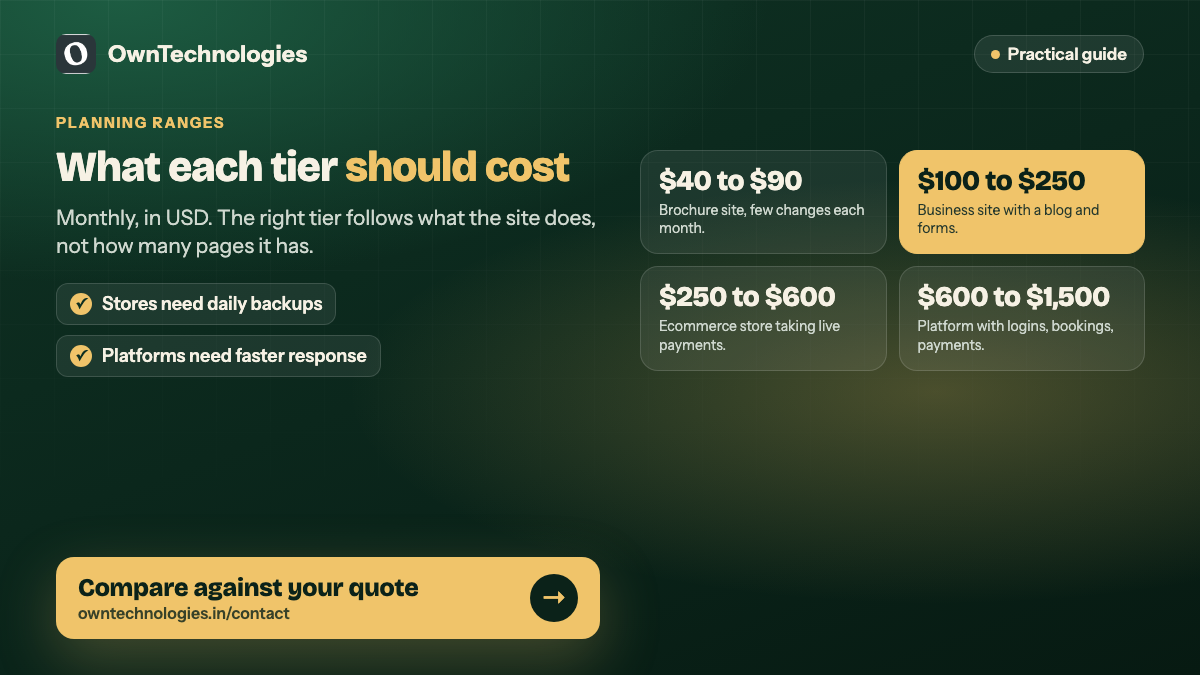
The jump from Standard to Ecommerce is not a markup. A store needs daily backups, payment gateway monitoring, inventory sync checks and faster response times, because every hour down is money. We broke the recurring side of that down in ecommerce running costs.
Response Time Is the Clause That Matters
Everything above is routine. What you are really buying is what happens on a bad day.
Read for three numbers:
- Response time, meaning how long until a human acknowledges your report
- Resolution target for a site that is completely down
- Whether that applies outside business hours, and in which timezone
“We will respond within 24 hours” on an ecommerce store is not a serious commitment. Four hours for critical issues is reasonable. One hour is a premium service and should be priced as one.
Also ask what counts as critical. If a broken checkout is classified as a normal request, the response time is meaningless.
What Is Usually Not Included
Being clear about this upfront prevents the most common argument.
- Redesigns and new page templates
- New features and integrations
- Content writing and photography
- SEO campaigns, as opposed to keeping technical SEO from breaking
- Recovery from damage the client caused with their own edits
- Third party licence fees, which are normally billed at cost
None of these are unreasonable exclusions. They are project work. The problem is only when nobody says so until the invoice arrives.
The Questions to Ask Before Signing
- Where are backups stored, how long are they kept, and when was a restore last tested?
- Is there a staging site, and will updates go through it?
- How many change hours are included, and do unused hours roll over?
- What is the response time for a site that is fully down, and does it cover weekends?
- If the site is hacked, is cleanup included or billed separately?
- Who owns the hosting, domain and licences, and can I take them elsewhere?
That last one matters most. If your provider holds the domain and you cannot access it, you are not a client, you are a hostage.
Who Should Hold the Keys
You should own the domain registrar account, the hosting account and the DNS. Your provider gets access, not ownership.
This is not about distrust. It is about what happens if the relationship ends, or if the agency closes. We hand over every account at project close as a matter of course, and we say so in writing, because the alternative creates a dependency we do not want either.
In-House, Freelancer or Agency
| Option | Monthly | Strength | Risk |
|---|---|---|---|
| Do it yourself | Your time | Free in cash | Updates get skipped when you are busy |
| Freelancer | $40 to $200 | Cheap, personal | One person, no cover when they are away |
| Agency plan | $100 to $1,500 | Cover, process, staging | Costs more, can be impersonal |
| In-house | Salary | Instant response | Only sensible past a certain scale |
For most businesses under twenty staff the honest answer is a freelancer for a brochure site and an agency once there is money moving through the site.
How We Handle It
We treat maintenance as the continuation of a build, not a separate product. The team that built the site keeps it, so nobody has to learn it twice.
Every plan includes staging, tested backups, monthly form and checkout checks and a written report. Accounts stay in the client’s name. If the site needs a rebuild rather than patching, we say so instead of quietly charging a retainer against a losing position, and our note on redesign versus rebuild sets out how we make that call.
New builds come with a settling-in period before any plan starts, which is covered on our website development page. For platforms with logins, bookings or payments the maintenance surface is larger, and that sits closer to our CRM and admin panel work.
Security Deserves Its Own Line
Most compromises are not clever. They are an unpatched plugin, a weak admin password, or an abandoned staging site left on a public URL.
A plan should state who applies security patches and how quickly. For anything handling customer data, the OWASP Top Ten is the baseline worth asking your provider about by name. If they cannot discuss it, that tells you something.
Mistakes That Cost the Most
- Buying on price and discovering backups were never tested
- No staging, so every update is a gamble
- Nobody owns the domain renewal and the site goes dark for a day
- Treating uptime monitoring as performance monitoring
- Letting the plan run for years on a site that needed replacing two years ago
- No written scope, so every request becomes a negotiation
Frequently Asked Questions
You need the non-negotiables, which someone has to do. For a five page site with no forms and no transactions, a basic plan or a disciplined hour a month of your own time is enough. The moment the site takes bookings, payments or enquiries, pay someone.
Plan on $40 to $90 for a brochure site, $100 to $250 for a business site with a blog and forms, and $250 to $600 for an ecommerce store. Platforms with logins and payments run higher. Treat anything far below these as a signal to ask what is actually included.
Hosting is the server your site runs on. Maintenance is the work of keeping the software on it updated, backed up, monitored and secure. A good host gives you infrastructure, not a person who notices your contact form broke.
Yes, if you own the domain, hosting and licences. Check this before you sign, not after. Ask for the accounts to be in your name from day one.
It depends entirely on the contract, which is why it is worth asking directly. Some plans include full cleanup and restoration, some include a restore from backup only, and some bill incident response separately at an hourly rate.
Security releases within days. Feature updates monthly, applied on staging first. Waiting months is how small updates turn into a migration project, since skipping several major versions rarely upgrades cleanly in one jump.
Final Thoughts
A maintenance plan is insurance with a service attached. The insurance part is backups, updates, monitoring and security. The service part is the hours and the human who answers when something breaks.
Judge a plan on two things: what it lists in writing, and what it promises on the worst day. Price is the third consideration, not the first.
If you want a straight read on what you are currently paying for, send us your plan and your site. Tell us what you have and we will tell you plainly whether it is thin, fair, or more than you need.