In the UAE, an app that only works in English leaves a large part of the market feeling like an afterthought. An app that “supports Arabic” but shows reversed numbers, broken icons and machine-translated buttons does worse: it tells Arabic-speaking customers the business did not care enough to get it right.
This is a practical guide to Arabic and right-to-left (RTL) mobile apps for UAE businesses: what good Arabic support actually involves, how it is built in Flutter, React Native and native apps, what it adds to cost and timeline, and a checklist you can hand to your developer.
Why Arabic support matters in the UAE
- **Arabic is the official language,** and many Emirati and Arab expatriate customers prefer it, especially for government-facing, finance, health and family services.
- **It signals trust.** A carefully localised app feels local, not imported.
- **App store visibility.** An Arabic store listing and Arabic keywords help your app appear in Arabic searches.
- **Some sectors expect it.** Government-linked projects and many larger organisations require bilingual apps.
Not every app needs Arabic on day one. A B2B tool used only by English-speaking staff may not. A consumer booking, shopping or service app usually should.
What “Arabic support” really means
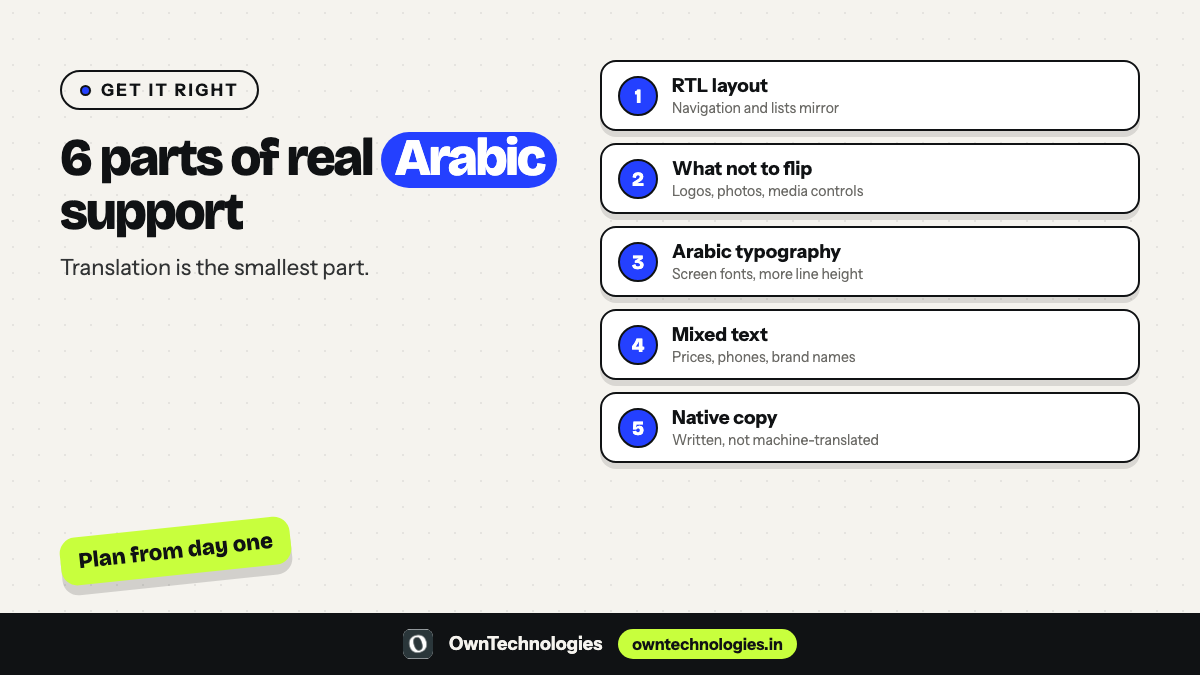
Translating the words is the smallest part of the job. A properly localised Arabic app gets six things right.
1. Right-to-left layout
The whole interface mirrors: navigation, menus, lists, progress steps and swipe directions move from right to left. Back buttons point the other way. Text aligns to the right.
2. What should not flip
Logos, photos, media playback controls, charts with time running left to right, phone numbers and many brand elements should stay as they are. Deciding what flips is a design decision, not something to leave to the framework.
3. Arabic typography
Arabic letters connect and change shape. Choose an Arabic typeface designed for screens that pairs well with your English font, and allow more line height, because Arabic often needs more vertical space.
4. Mixed text
Real screens mix Arabic with English brand names, prices, phone numbers, email addresses and order codes. This bidirectional text must be tested so numbers and Latin words appear in the right order inside Arabic sentences.
5. Numbers, dates and currency
Decide whether to show Western digits (123) or Arabic-Indic digits (١٢٣), how to format dates, and how to show AED amounts. Be consistent across the app, receipts and notifications.
6. Copy written for Arabic readers
Machine translation produces stiff, sometimes wrong Arabic. Budget for a native Arabic copywriter or reviewer, and give them the context of each screen, not a spreadsheet of isolated strings.
How Arabic and RTL are built in each framework
| Framework | RTL support | What still needs care |
|---|---|---|
| Flutter | Built-in localisation and automatic RTL layout when the locale is Arabic | Custom widgets, icons with direction, animations, fonts |
| React Native | RTL support through its layout system and I18nManager | Switching language at runtime, third-party components, some animations |
| Native iOS and Android | Mature platform RTL support | Two codebases to localise and test |
Flutter’s internationalisation guide and Apple’s guidance on right-to-left design are good references. Whichever framework you choose, the work that matters is design and testing, not the framework setting. Our guide to Flutter app development in Dubai covers why many UAE businesses choose Flutter for bilingual apps.
Design first: both languages from day one
The cheapest way to get Arabic right is to design both versions from the start.
- **Design key screens in English and Arabic side by side** before any development.
- **Use flexible layouts.** Arabic text can be shorter or longer than English; fixed-width buttons break.
- **Mark icons that must mirror,** such as arrows and back buttons, and icons that must not.
- **Plan the language switch.** Follow the phone’s language by default, and offer an in-app switch.
- **Check every state:** empty screens, errors, loading, notifications, emails and receipts.
What Arabic support adds to cost and timeline
Arabic is not a separate app, but it is real work:
| Area | Extra work |
|---|---|
| Design | Arabic versions of key screens, icon and layout decisions |
| Development | Localisation setup, RTL fixes on custom components, language switch |
| Content | Native Arabic copywriting or review of all screens, emails and store listing |
| Testing | Every screen tested in both languages on real devices |
As a planning rule, adding Arabic from the start usually adds a modest share to design, content and testing effort. Adding it after launch costs far more, because screens, components and copy must be reworked. For overall AED budgets, see our guide to mobile app development cost in Dubai.
Arabic app store listing
Localise the store listing as carefully as the app:
- Arabic app name and subtitle, written by a native speaker
- Arabic keywords for the App Store and an Arabic description for Google Play
- Screenshots that show the Arabic interface
- Support and privacy pages available in Arabic if possible
Testing checklist for Arabic and RTL
Hand this list to your developer or QA team:
- Every screen opens correctly in Arabic with right-to-left layout
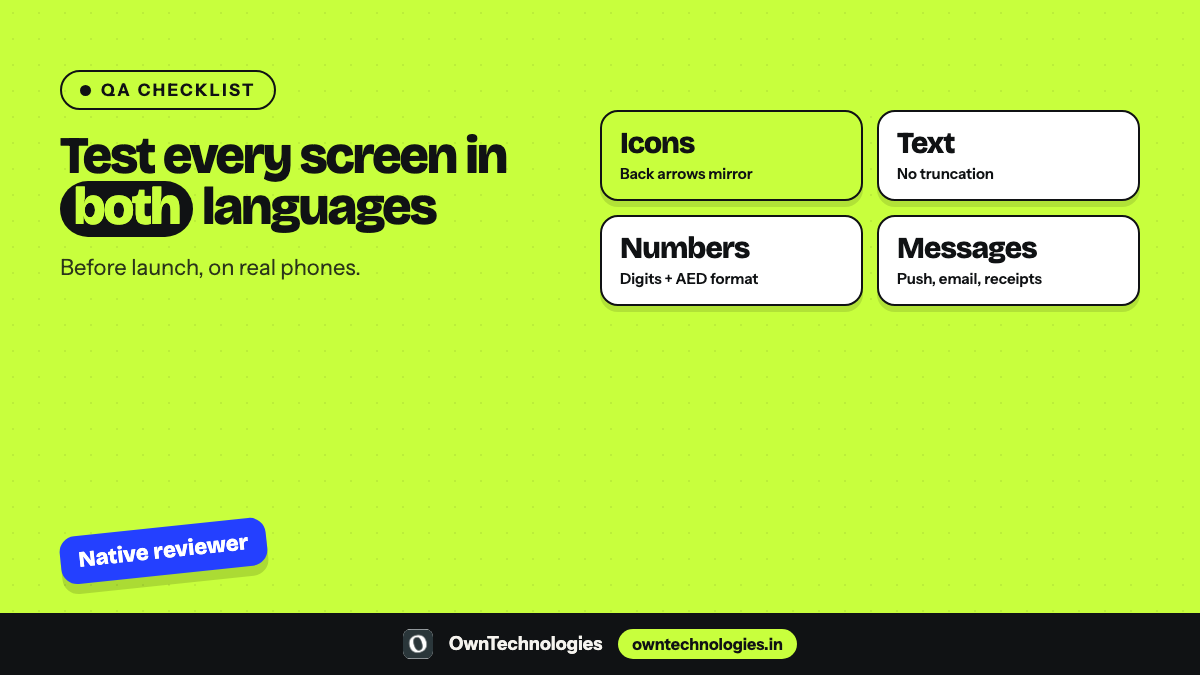
- Back, next and progress icons point the right way; logos and media controls do not flip
- No truncated or overlapping Arabic text on small phones
- Prices, phone numbers, order IDs and English brand names display in the right order
- Dates, times and digits follow the chosen format everywhere
- Forms accept Arabic input; search works with Arabic text
- Push notifications, emails, SMS and PDF receipts are localised
- Switching language mid-session updates the whole app
- Accessibility: screen readers read Arabic labels correctly
- A native Arabic speaker has reviewed every screen on a real device
Arabic needs by sector in the UAE
| Sector | Why Arabic matters | Must-get-right screens |
|---|---|---|
| Healthcare and clinics | Patients prefer to read medical information in their language | Booking, consent, reports, reminders |
| Government-facing services | Often required to be bilingual | Forms, status tracking, notifications |
| Banking and fintech | Trust and regulation | Onboarding, KYC, statements, receipts |
| Retail and ecommerce | Wider reach to Arabic-speaking shoppers | Product pages, checkout, order tracking |
| Education | Parents and students may prefer Arabic | Schedules, fees, results, messages |
| Food and delivery | Fast, familiar ordering | Menus, checkout, delivery updates |
Do not forget the admin panel
Customers see the app; your team runs the business from the admin panel. If your staff work in Arabic, or if customer data such as names and addresses is entered in Arabic, the admin panel must store, search and display Arabic correctly too. Check that search, filters, exports and printed documents handle Arabic text, and decide which language your internal reports use.
Common mistakes in UAE Arabic apps
- **Machine-translated text** shipped without review.
- **Mirrored logos and product photos.**
- **Hard-coded left padding** that breaks RTL layouts.
- **English-only error messages and notifications** inside an Arabic app.
- **Arabic added months after launch,** forcing a redesign.
- **No Arabic store listing,** so Arabic searches never find the app.
Where OwnTechnologies fits
We are an India-based team that builds Flutter, React Native and native apps for Dubai and UAE businesses, with AED pricing and WhatsApp-first communication. We are not UAE-registered, and we say so on the first call. We design English and Arabic screens together, build right-to-left support into the app from day one, and work with native Arabic copywriters for the content. Apps we have built include Tender and a trivia quiz app, each with 10M+ downloads, and the BKS MyGold digital gold app with 100K+ downloads.
Frequently Asked Questions
Not always, but consumer apps, government-facing services and apps for Emirati customers usually benefit from full Arabic support. B2B tools used only by English-speaking staff may not need it on day one.
Right-to-left support mirrors the interface for Arabic, so text, navigation and lists run from right to left, while logos, photos and media controls stay as they are.
Yes. Flutter has built-in localisation and switches layouts to right-to-left when the locale is Arabic. Custom widgets, icons, fonts and mixed text still need design and testing.
Planned from the start, it adds a modest share of extra design, content and testing work. Added after launch, it costs much more because screens and components must be reworked.
Only as a first draft. Use a native Arabic copywriter or reviewer for every screen, notification and store listing.
Either can work. Choose one style based on your audience and use it consistently across the app, receipts and messages.
Final Thoughts
Arabic support done well is more than translation: it is a right-to-left layout with sensible exceptions, typography built for Arabic, correct mixed text and numbers, native copy and testing in both languages. Plan it from the first design, and your app will feel genuinely local to UAE customers.
Planning a bilingual app for the UAE? Our mobile app development team designs and builds English and Arabic apps with transparent AED pricing, and our CRM team builds the bilingual admin panels behind them. Book a free consultation to scope your app.