In 2026, a business website is not just a digital presence—it’s a lead generation engine, trust builder, and growth platform.
If your website lacks key features, you risk losing traffic, engagement, and qualified leads to competitors.
This checklist outlines the 20 essential website features businesses need to rank better, convert users, and generate MQLs consistently.
Why Website Features Matter in 2026
Search engines, users, and AI-driven platforms evaluate websites based on experience, performance, trust, and conversion readiness.
A website that looks good but lacks functionality will struggle to rank and convert.
20 Must-Have Website Features for Businesses in 2026
1. Mobile-First Responsive Design
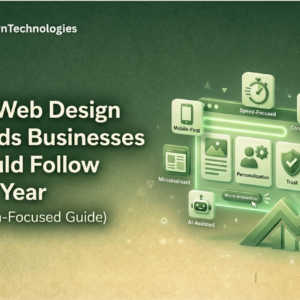
Your website must be designed for mobile users first, not adapted later. With most traffic coming from mobile devices, responsiveness directly impacts rankings and conversions.
2. Fast Page Load Speed (Under 3 Seconds)
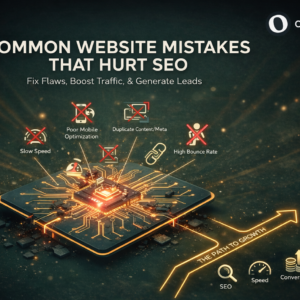
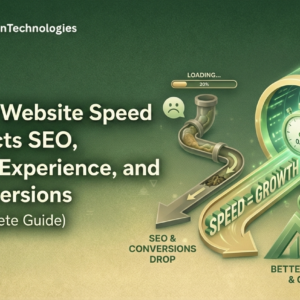
Slow websites increase bounce rates and reduce user trust. Faster websites perform better in SEO and convert visitors more effectively.
3. SEO-Friendly Website Structure
Clean URLs, proper heading hierarchy, and crawlable architecture help search engines understand and rank your pages efficiently.
4. Clear Value Proposition Above the Fold
Visitors should immediately understand what you do, who you help, and why you’re different—without scrolling or guessing.
5. Strong Call-to-Action (CTA)
Every page should guide users toward a clear next step, such as contacting your team, booking a call, or making an inquiry.
6. Conversion-Optimized Contact Forms
Short, simple forms reduce friction and improve lead quality. Only ask for information that’s truly necessary.
7. Trust Signals & Social Proof
Client logos, testimonials, certifications, and reviews build credibility and increase the likelihood of qualified inquiries.
8. Secure HTTPS & Privacy Compliance
SSL security and clear privacy practices are essential for trust, compliance, and search engine rankings.
9. Clear Navigation & Menu Structure
Users should be able to find services, resources, and contact information within one or two clicks.
10. Optimized Images & Media
Compressed images and properly optimized media improve page speed, accessibility, and overall user experience.
11. Blog or Resource Section
A blog helps attract organic traffic, build authority, and support SEO through informational and educational content.
12. Analytics & Tracking Setup
Analytics tools help measure performance, understand user behavior, and optimize your website for better results.
13. Internal Linking Strategy
Internal links improve crawlability, distribute authority across pages, and keep users engaged longer on your site.
14. Core Web Vitals Optimization
Websites that load quickly, remain visually stable, and respond smoothly rank better and retain users.
15. AI Chat or Live Chat Support
Chat tools improve response time, capture leads instantly, and enhance user experience—especially for high-intent visitors.
16. Accessibility-Friendly Design
Inclusive websites are easier to use for everyone, perform better in search, and reach a wider audience across devices and abilities.
17. Clear Location & Contact Visibility
Visible contact details increase trust, support GEO relevance, and help users reach you without friction.
18. Scalable Website Architecture
Your website should support future growth—new services, pages, integrations, and content—without major rebuilds.
19. Structured Data (Schema Markup)
Schema helps search engines and AI tools better understand your content, improving visibility in rich results and AI overviews.
20. Consistent Branding & UI/UX
Consistent design, colors, and messaging build brand recognition, trust, and a professional user experience.
How These Website Features Help Generate MQLs
Websites built with these features:
- Rank higher on search engines
- Keep users engaged longer
- Build trust faster
- Convert visitors into qualified leads
A feature-complete website works as a 24/7 sales and marketing asset, not just a digital brochure.
Is Your Website Missing Any of These Features?
Most businesses lose leads without realizing what their website lacks.
👉 Talk to Our Digital Experts ( +91-9910765616 )
We help businesses audit, optimize, and build conversion-ready websites designed for growth in 2026.
📩 hello@owntechnologies.in
🌐 owntechnologies.in
Final Thoughts
In 2026, successful business websites are fast, user-focused, SEO-ready, and conversion-driven.
By implementing these 20 must-have website features, businesses can future-proof their digital presence and consistently generate high-quality MQLs.
Frequently Asked Questions
1. What are the most important website features for businesses in 2026?
The most important website features in 2026 include mobile-first design, fast page speed, SEO-friendly structure, clear CTAs, trust signals, analytics, and conversion-optimized forms.
2. How do website features affect SEO rankings?
Website features like speed, mobile responsiveness, internal linking, and structured data directly influence how search engines crawl, index, and rank pages.
3. Can a business website generate leads without SEO?
A website can generate limited leads without SEO, but long-term, consistent MQL generation depends on search visibility, content, and optimized website features.
4. How often should businesses update their website features?
Businesses should review and update website features at least once a year to align with SEO updates, user behavior changes, and technology improvements.
5. Are website features important for small businesses and startups?
Yes, website features are critical for small businesses and startups because they help build trust, improve visibility, and compete with larger brands online.
6. How do website features help with AI and voice search results?
Well-structured websites with clear headings, schema markup, and fast performance are easier for AI tools and voice assistants to understand and surface in results.